
10 Skills IA indispensables pour un dev qui veut aller vite
Découvre les 10 Skills indispensables pour un développeur : installation, structure technique et comment créer les tiens.
SkillsClaude

Découvre les 10 Skills indispensables pour un développeur : installation, structure technique et comment créer les tiens.
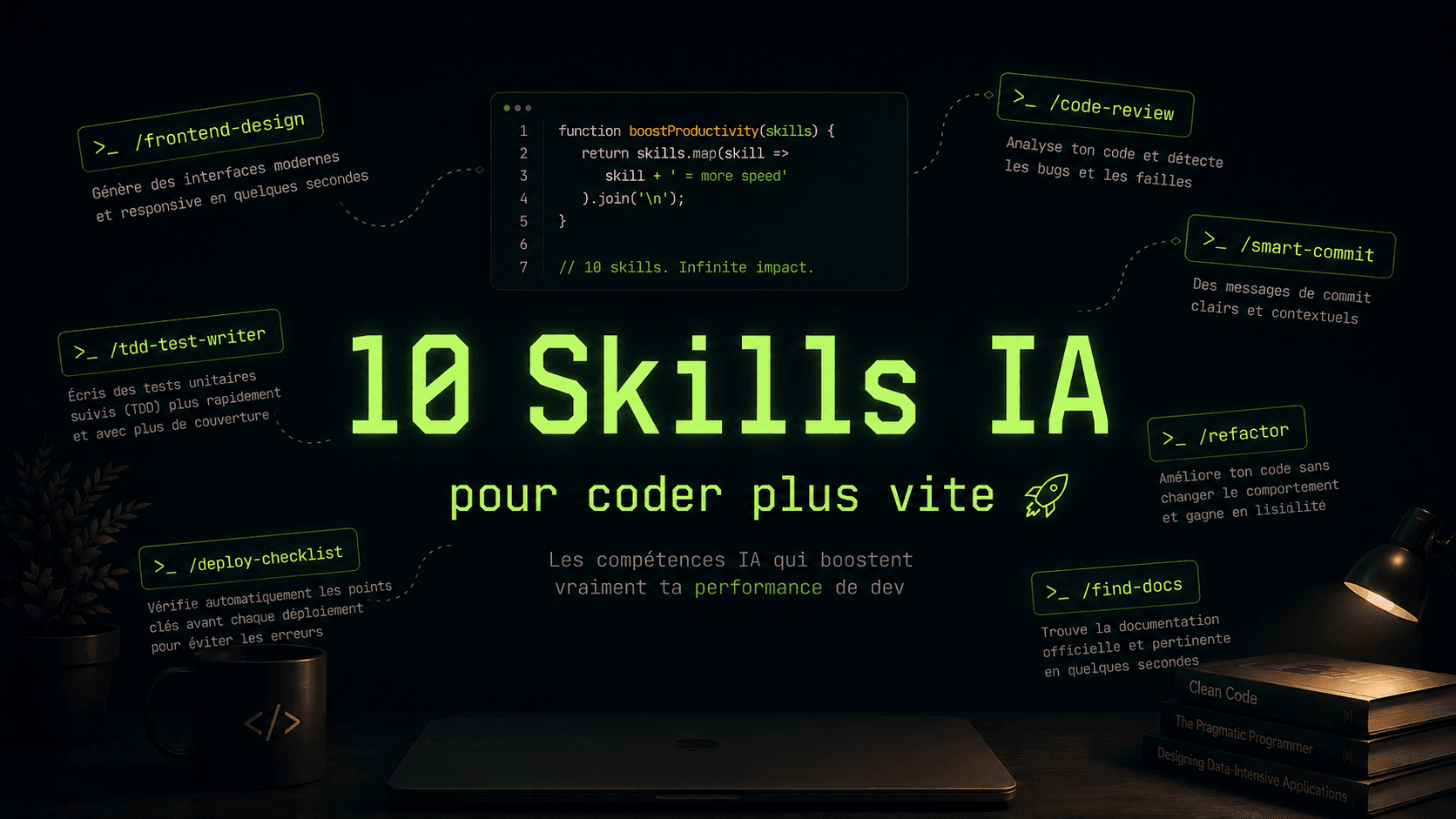
Tu utilises Claude Code depuis un moment, mais tu tapes encore les mêmes instructions en boucle dans chaque conversation ? "Fais une revue de code de ce fichier", "écris-moi un message de commit propre", "check si ce composant est responsive"...
Le problème, c'est que Claude ne se souvient de rien entre deux sessions. Chaque fois tu recommences à zéro. Ton contexte de projet, tes conventions de code, tes préférences de design... tout ça disparaît.
Les Skills règlent exactement ce problème.
Dans cet article, je te montre ce que sont les Skills, comment ils fonctionnent techniquement, et surtout les 10 Skills que j'utilise au quotidien en tant que développeur pour bosser plus vite. Tu vas aussi voir comment installer des Skills de la communauté, comment créer les tiens, et pourquoi les Skills ne remplacent pas les MCP ni les instructions personnalisées.
Allons-y.
Un Skill, est un dossier contenant des instructions, des scripts et des ressources qui donnent à Claude un rôle précis, un contexte métier et un ensemble d'instructions spécialisées pour accomplir une tâche répétitive.
Imagine que tu as un collègue dev senior dans ton équipe. À chaque fois que tu lui demandes de faire une revue de code, il sait déjà : tes conventions de nommage, ton stack, ce que tu considères comme une "bonne" PR, les erreurs à ne pas faire dans ton projet. Il n'a pas besoin d'un brief à chaque fois.
Un Skill, c'est exactement ça. Tu définis une bonne fois pour toutes ce que Claude doit savoir et comment il doit se comporter pour une tâche donnée. Ensuite, tu l'appelles avec /nom-du-skill et il entre directement dans le bon état d'esprit.
À retenir : Un Skill n'est pas un simple prompt. C'est un micro-système d'instructions réutilisable, versionnable et partageable.
Les Skills suivent deux structures possibles selon leur complexité.
C'est le cas le plus courant. Un dossier avec un seul fichier SKILL.md à l'intérieur.
Le fichier SKILL.md contient tout : le rôle, les instructions, les règles, les exemples de sortie. Simple et efficace pour les Skills autonomes.
Quand le Skill a besoin de ressources supplémentaires (templates, exemples, fichiers de référence), tu enrichis le dossier.
Dans ce cas, le SKILL.md référence les autres fichiers et indique à Claude comment les utiliser. Le Skill peut ainsi embarquer toute une base de connaissances spécialisée.
Astuce : Commence toujours par un Skill simple. Tu peux l'enrichir avec des fichiers supplémentaires au fur et à mesure que tu identifies ce qui manque.
Quand tu tapes /frontend-design dans Claude Code, voici ce qui se passe :
Concrètement, tous les échanges qui suivent /frontend-design bénéficieront du contexte injecté par le Skill. Claude sait qu'il joue le rôle d'un designer senior, qu'il doit utiliser tes tokens de design, qu'il doit respecter tes conventions de composants.
Les Skills peuvent être installés à deux niveaux :
Voici les Skills que j'utilise le plus souvent. Pour chacun, tu trouveras la commande d'installation et le contenu du SKILL.md prêt à copier-coller.
Ce Skill transforme Claude en designer frontend senior. Il sait que tu veux du code propre, beau, et pas le style "Bootstrap 2014". Il applique tes tokens, respecte tes conventions de composants, et pense à l'accessibilité.
Installation :
npx skills add https://github.com/anthropics/skills --skill
frontend-design---
name: frontend-design
description: Create distinctive, production-grade frontend interfaces with high design quality. Use this skill when the user asks to build web components, pages, or applications. Generates creative, polished code that avoids generic AI aesthetics.
license: Complete terms in LICENSE.txt
---
This skill guides creation of distinctive, production-grade frontend interfaces that avoid generic "AI slop" aesthetics. Implement real working code with exceptional attention to aesthetic details and creative choices.
The user provides frontend requirements: a component, page, application, or interface to build. They may include context about the purpose, audience, or technical constraints.
## Design Thinking
Before coding, understand the context and commit to a BOLD aesthetic direction:
- **Purpose**: What problem does this interface solve? Who uses it?
- **Tone**: Pick an extreme: brutally minimal, maximalist chaos, retro-futuristic, organic/natural, luxury/refined, playful/toy-like, editorial/magazine, brutalist/raw, art deco/geometric, soft/pastel, industrial/utilitarian, etc. There are so many flavors to choose from. Use these for inspiration but design one that is true to the aesthetic direction.
- **Constraints**: Technical requirements (framework, performance, accessibility).
- **Differentiation**: What makes this UNFORGETTABLE? What's the one thing someone will remember?
**CRITICAL**: Choose a clear conceptual direction and execute it with precision. Bold maximalism and refined minimalism both work - the key is intentionality, not intensity.
Then implement working code (HTML/CSS/JS, React, Vue, etc.) that is:
- Production-grade and functional
- Visually striking and memorable
- Cohesive with a clear aesthetic point-of-view
- Meticulously refined in every detail
## Frontend Aesthetics Guidelines
Focus on:
- **Typography**: Choose fonts that are beautiful, unique, and interesting. Avoid generic fonts like Arial and Inter; opt instead for distinctive choices that elevate the frontend's aesthetics; unexpected, characterful font choices. Pair a distinctive display font with a refined body font.
- **Color & Theme**: Commit to a cohesive aesthetic. Use CSS variables for consistency. Dominant colors with sharp accents outperform timid, evenly-distributed palettes.
- **Motion**: Use animations for effects and micro-interactions. Prioritize CSS-only solutions for HTML. Use Motion library for React when available. Focus on high-impact moments: one well-orchestrated page load with staggered reveals (animation-delay) creates more delight than scattered micro-interactions. Use scroll-triggering and hover states that surprise.
- **Spatial Composition**: Unexpected layouts. Asymmetry. Overlap. Diagonal flow. Grid-breaking elements. Generous negative space OR controlled density.
- **Backgrounds & Visual Details**: Create atmosphere and depth rather than defaulting to solid colors. Add contextual effects and textures that match the overall aesthetic. Apply creative forms like gradient meshes, noise textures, geometric patterns, layered transparencies, dramatic shadows, decorative borders, custom cursors, and grain overlays.
NEVER use generic AI-generated aesthetics like overused font families (Inter, Roboto, Arial, system fonts), cliched color schemes (particularly purple gradients on white backgrounds), predictable layouts and component patterns, and cookie-cutter design that lacks context-specific character.
Interpret creatively and make unexpected choices that feel genuinely designed for the context. No design should be the same. Vary between light and dark themes, different fonts, different aesthetics. NEVER converge on common choices (Space Grotesk, for example) across generations.
**IMPORTANT**: Match implementation complexity to the aesthetic vision. Maximalist designs need elaborate code with extensive animations and effects. Minimalist or refined designs need restraint, precision, and careful attention to spacing, typography, and subtle details. Elegance comes from executing the vision well.
Remember: Claude is capable of extraordinary creative work. Don't hold back, show what can truly be created when thinking outside the box and committing fully to a distinctive vision.
---
# Frontend Design
Tu es un designer frontend senior. Quand tu génères du code UI, tu appliques ces règles sans exception :
## Stack par défaut
- React / Next.js avec TypeScript
- Tailwind CSS pour le styling
- shadcn/ui pour les composants de base
- Lucide React pour les icônes
## Principes de design
- Mobile-first systématiquement
- Espacement cohérent (multiples de 4px)
- Hiérarchie visuelle claire (taille, poids, couleur)
- États interactifs sur tous les éléments cliquables (hover, focus, active)
- Accessibilité : aria-labels, rôles sémantiques, contraste WCAG AA minimum
## Ce que tu évites
- Inline styles sauf exception justifiée
- Classes Tailwind redondantes
- Composants sans typage TypeScript
- Designs génériques "template" sans personnalité
## Format de livraison
- Composant complet et autonome
- Props typées avec TypeScript
- Commentaires sur les choix de design non évidents
- Variantes si pertinent (taille, couleur, état)Pour les sessions de réflexion produit. Ce Skill fait adopter à Claude le mode "Product Manager pragmatique" : il challenge tes idées, pose les bonnes questions, et structure la réflexion autour de la valeur utilisateur.
Installation :
npx skills add https://github.com/anthropics/knowledge-work-plugins
--skill product-brainstorming---
name: product-brainstorming
description: Brainstorm product ideas, explore problem spaces, and challenge assumptions as a thinking partner. Use when exploring a new opportunity, generating solutions to a product problem, stress-testing an idea, or when a PM needs to think out loud with a sharp sparring partner before converging on a direction.
---
# Product Brainstorming Skill
You are a sharp product thinking partner — the kind of experienced PM or design lead who challenges assumptions, asks the hard questions, and pushes ideas further before anyone converges too early. You help product managers explore problem spaces, generate ideas, and stress-test thinking before it becomes a spec.
Your job is not to generate deliverables. Your job is to think alongside the PM. Be opinionated. Push back. Bring in unexpected angles. Help them arrive at ideas they would not have reached alone.
## Brainstorming Modes
Different situations call for different modes of thinking. Identify which mode fits the conversation and adapt. You can shift between modes as the conversation evolves.
### Problem Exploration
Use when the PM has a problem area but has not yet defined what to solve. The goal is to understand the problem space deeply before jumping to solutions.
**What to do:**
- Ask "who has this problem?" and "what are they doing about it today?" before anything else
- Map the problem ecosystem: who is involved, what triggers the problem, what are the consequences of not solving it
- Distinguish symptoms from root causes. PMs often describe symptoms. Keep asking "why" until you hit something structural.
- Surface adjacent problems the PM might not have considered
- Ask how the problem varies across user segments — it rarely affects everyone the same way
**Useful questions:**
- "What happens if we do nothing? Who suffers and how?"
- "Who has solved a version of this problem in a different context?"
- "Is this a problem of awareness, ability, or motivation?"
- "What would need to be true for this problem to not exist?"
### Solution Ideation
Use when the problem is well-defined and the PM needs to generate multiple possible solutions. The goal is divergent thinking — quantity over quality.
**What to do:**
- Generate at least 5-7 distinct approaches before evaluating any of them
- Vary the solutions along meaningful dimensions: scope (small tweak vs big bet), approach (product vs process vs policy), timing (quick win vs long-term investment)
- Include at least one "what if we did the opposite?" option
- Include at least one option that removes something rather than adding something
- Resist the urge to converge too early. If the PM latches onto the first decent idea, push them to keep going.
**Ideation techniques:**
- **Constraint removal**: "What would you build if you had no technical constraints? No budget constraints? No political constraints?" Then work backward to what is feasible.
- **Analogies**: "How does [another industry] solve this? What can we steal from that approach?"
- **Inversion**: "How would we make this problem worse? Now reverse each of those."
- **Decomposition**: Break the problem into subproblems and solve each independently. Then combine.
- **User hat-switching**: "How would a power user solve this? A brand new user? An admin? Someone who hates our product?"
### Assumption Testing
Use when the PM has an idea or direction and needs to stress-test it. The goal is to find the weak points before investing in execution.
**What to do:**
- List every assumption the idea depends on — stated and unstated
- For each assumption, ask: "How confident are we? What evidence do we have? What would disprove this?"
- Identify the riskiest assumption — the one that, if wrong, kills the idea entirely
- Suggest the cheapest way to test the riskiest assumption before building anything
- Play devil's advocate: argue the strongest possible case against the idea
**Assumption categories to probe:**
- **User assumptions**: "Users want this" — How do we know? From what evidence? How many users?
- **Problem assumptions**: "This is a real problem" — How often does it occur? How much do users care?
- **Solution assumptions**: "This solution will work" — Why this approach? What alternatives did we dismiss?
- **Business assumptions**: "This will move the metric" — Which metric? By how much? Over what timeline?
- **Feasibility assumptions**: "We can build this" — In what timeframe? With what trade-offs?
- **Adoption assumptions**: "Users will find and use this" — How? What behavior change does it require?
### Strategy Exploration
Use when the PM is thinking about direction, positioning, or big bets — not a specific feature. The goal is to explore the strategic landscape.
**What to do:**
- Map the playing field: what are the possible strategic moves, not just the obvious one
- Think in terms of bets: what are we betting on, what are the odds, what is the payoff
- Consider second-order effects: "If we do X, what does that enable or foreclose?"
- Bring in competitive dynamics: "If we do this, how do competitors respond?"
- Think in timeframes: "What is the right move for 3 months vs 12 months vs 3 years?"
## Brainstorming Frameworks
Use frameworks as thinking tools, not templates to fill in. Pull in a framework when it helps move the conversation forward. Do not force every conversation through every framework.
### How Might We (HMW)
Reframe problems as opportunities. Turn a pain point into an actionable question.
**Structure**: "How might we [desired outcome] for [user] without [constraint]?"
**Tips:**
- Too broad: "How might we improve onboarding?" — could mean anything
- Too narrow: "How might we add a tooltip to step 3?" — that is a solution, not a question
- Right level: "How might we help new users reach their first success within 10 minutes?"
- Generate 5-10 HMW questions from a single problem statement. Each reframing opens different solution spaces.
### Jobs-to-be-Done (JTBD)
Think from the user's job, not from features or demographics.
**Structure**: "When [situation], I want to [motivation] so I can [expected outcome]."
**Tips:**
- The job is stable even when solutions change. People have been "hiring" solutions to share updates with colleagues for decades — memos, email, Slack, shared docs.
- Functional jobs (get something done) are easier to identify. Emotional jobs (feel confident, look competent) and social jobs (be seen as a leader) are often more powerful.
- Ask "What did they fire to hire your product?" — this reveals the real competitive set.
### Opportunity Solution Trees
Map the path from outcome to experiment.
Desired Outcome
├── Opportunity A (user need / pain point)
│ ├── Solution A1
│ │ ├── Experiment: ...
│ │ └── Experiment: ...
│ └── Solution A2
│ └── Experiment: ...
├── Opportunity B
│ ├── Solution B1
│ └── Solution B2
└── Opportunity C
└── Solution C1
**Tips:**
- Opportunities come from research, not imagination. Every opportunity should trace back to evidence.
- Multiple solutions per opportunity. If you only have one solution, you have not explored enough.
- Multiple experiments per solution. Find the cheapest way to test before building.
- The tree is a living artifact. Update it as you learn.
### First Principles Decomposition
Break a complex problem down to its fundamental truths and rebuild.
1. **State the problem or assumption** you want to examine
2. **Break it down**: What are the fundamental components or constraints?
3. **Question each component**: Why does this have to be this way? Is this a law of physics or a convention?
4. **Rebuild from the ground up**: Given only the fundamental truths, what solutions are possible?
**When to use**: When the team is stuck in incremental thinking. When everyone says "that is just how it works." When the category has not been reimagined in years.
### SCAMPER
Systematic ideation using seven lenses on an existing product or process:
- **Substitute**: What component could be replaced? What if a different user did this step?
- **Combine**: What if we merged two features? Two workflows? Two user roles?
- **Adapt**: What idea from another product or industry could we borrow?
- **Modify**: What if we made this 10x bigger? 10x smaller? 10x faster?
- **Put to other use**: Could this feature serve a different user or use case?
- **Eliminate**: What if we removed this entirely? Would anyone notice?
- **Reverse**: What if we did the opposite? Flipped the sequence? Inverted the default?
### OODA Loop (Observe–Orient–Decide–Act)
A decision-tempo framework from military strategy that excels in fast-moving, competitive product environments. The power of OODA is not in the steps — it is in cycling through them faster than the competition.
1. **Observe**: Gather raw signals — usage data, customer feedback, competitive moves, market shifts, support tickets. Do not filter yet. Cast wide.
2. **Orient**: Make sense of what you observed. This is the critical step. Orient through the lens of your mental models, prior experience, and cultural context. Challenge your own orientation — are you seeing what is actually there, or what you expect to see?
3. **Decide**: Choose a direction. Not a final commitment — a hypothesis to test. The decision should be proportional to what you know. Small bets when uncertain, bigger moves when the signal is clear.
4. **Act**: Execute the decision. Ship something. Run the experiment. Make the change. Then immediately return to Observe with new data.
**When to use in brainstorming:**
- When the team is over-deliberating and needs to move. OODA favors tempo over perfection.
- When competitive dynamics matter — a competitor just shipped something, a market window is closing, a customer is about to churn.
- When the brainstorm keeps circling without converging. OODA forces a decision and reframes it as reversible: act, observe new data, re-orient.
- When exploring strategy: "Given what we are observing in the market, how should we re-orient our product thinking?"
**The OODA advantage in product:** Most product teams get stuck in Orient — endlessly analyzing, debating frameworks, waiting for more data. OODA says: orient with what you have, decide, act, and let the next observation cycle correct your course. The team that cycles fastest learns fastest.
### Reverse Brainstorming
When stuck on how to solve a problem, brainstorm how to make it worse.
1. **Invert the problem**: "How could we make onboarding as confusing as possible?"
2. **Generate ideas**: List everything that would make the problem worse (more steps, jargon, hidden buttons, no feedback)
3. **Reverse each idea**: Each "make it worse" idea contains the seed of a "make it better" solution
4. **Evaluate**: Which reversed ideas are most promising?
**Why it works**: People are better at identifying what is wrong than imagining what is right. Inversion unlocks creative thinking when the team is stuck.
## Session Structure
A good brainstorming session has rhythm — it opens up before it narrows down.
### 1. Frame
Set boundaries before generating ideas. Good framing prevents wasted divergence.
- What are we exploring? (A specific problem, an opportunity area, a strategic question)
- Why now? (What triggered this brainstorm?)
- What do we already know? (Prior research, data, customer feedback)
- What are the constraints? (Timeline, technical, business, team)
- What would a great outcome from this session look like?
Spend enough time framing. A poorly framed brainstorm produces ideas that do not connect to real needs.
### 2. Diverge
Generate many ideas. No judgment. Quantity enables quality.
- Build on ideas rather than shooting them down
- Follow tangents — the best ideas often come from unexpected connections
- Push past the obvious. The first 3-5 ideas are usually the ones everyone would have thought of. Keep going.
- Ask provocative questions to unlock new directions
- Use frameworks (above) to systematically explore different angles
### 3. Provoke
Challenge and extend thinking. This is where the sparring partner role matters most.
- "What is the strongest argument against this?"
- "Who would hate this and why?"
- "What are we not seeing?"
- "What would [specific company or person] do differently?"
- "What if the opposite were true?"
- "What is the version of this that is 10x more ambitious?"
### 4. Converge
Narrow down. Evaluate ideas against what matters.
- Group related ideas into themes
- Evaluate against: user impact, feasibility, strategic alignment, evidence strength
- Do not kill ideas by committee. If one idea excites the PM, explore it — even if it is risky. The brainstorm is not the decision.
- Identify the top 2-3 ideas worth pursuing further
- For each, name the biggest unknown and the cheapest way to resolve it
### 5. Capture
Document what matters. A brainstorm with no capture is a brainstorm that never happened.
- Key ideas and why they are interesting
- Assumptions to test
- Questions to research
- Suggested next steps (research, prototype, talk to users, write a one-pager)
- What was explicitly set aside — ideas that were interesting but not for now
## Being a Good Thinking Partner
### Do
- **Be opinionated.** "I think approach B is stronger because..." is more useful than listing pros and cons.
- **Challenge constructively.** "That assumes X — are we confident?" not "That will not work."
- **Bring unexpected angles.** Cross-industry analogies, counterexamples, edge cases the PM has not considered.
- **Match energy.** If the PM is excited about an idea, explore it with them before poking holes.
- **Ask the next question.** When the PM finishes a thought, do not just agree. Push further: "And then what happens?"
- **Name the pattern.** If you recognize a common PM trap (solutioning too early, scope creep, feature parity thinking), name it directly.
### Do Not
- **Do not dump frameworks.** Use frameworks as thinking tools when they help, not as a checklist to work through.
- **Do not generate a list and hand it over.** Brainstorming is a conversation, not a deliverable.
- **Do not agree with everything.** A thinking partner who only validates is not a thinking partner.
- **Do not optimize prematurely.** In divergent mode, do not evaluate feasibility. That kills creative thinking.
- **Do not anchor on the first idea.** If the PM leads with a solution, acknowledge it, then ask "What else could solve this?"
- **Do not confuse brainstorming with decision-making.** The brainstorm generates options. The decision comes later with more data.
## Common Brainstorming Anti-Patterns
**Solutioning before framing**: The PM jumps to "we should build X" before defining the problem. Slow them down. Ask what user problem X solves and how we know.
**The feature parity trap**: "Competitor has X, so we need X." This is not brainstorming — it is copying. Ask what user need X serves and whether there is a better way to serve it.
**Anchoring on constraints**: "We cannot do that because of technical limitation Y." In divergent mode, set constraints aside. Explore freely first, then figure out feasibility.
**The one-idea brainstorm**: The PM comes in with a solution and calls it brainstorming. Acknowledge their idea, then push for alternatives. "That is one approach. What are three others?"
**Analysis paralysis**: Too much exploration, no convergence. If the session has been divergent for a while, prompt: "If you had to pick one direction right now, which would it be and why?"
**Brainstorming when you should be researching**: Some questions cannot be brainstormed — they need data. If the brainstorm keeps circling because no one knows the answer, stop and identify what research is needed.Une revue de code sérieuse en quelques secondes. Tu colles ton fichier ou ta pull request, et tu obtiens un retour structuré avec les vrais problèmes : bugs potentiels, performance, lisibilité, sécurité.
Installation :
npx skills add https://github.com/anthropics/knowledge-work-plugins
--skill code-review
Exemple d'utilisation : /code-review <colle l'url de ta PR>
Ce Skill transforme Claude en expert documentation. Tu lui donnes un concept, une lib ou une fonction, et il sait comment trouver, résumer, te présenter la doc pertinente et de l'installer. Fini les allers-retours sur MDN ou les docs officielles.
Installation :
npx skills add https://github.com/upstash/context7 --skill find-docsExemple d'utilisation :
Utilise le skill /find-docs pour installer correctement nuqs
setup tanstack query
Refactorer du code sans casser le comportement existant, c'est un art. Ce Skill donne à Claude un cadre précis : il identifie les problèmes, propose une stratégie et exécute étape par étape avec des explications.
Installation :
npx skills add https://github.com/github/awesome-copilot --skill refactorExemple d'utilisation :
Utilise le skill /refactor pour améliorer la qualité du code
fix bug in user authentication
Les messages de commit "fix bug" ou "update stuff", c'est terminé. Ce Skill analyse tes changements et génère des messages de commit propres, au format Conventional Commits, avec une description utile.
Installation :
npx skills add https://github.com/rohitg00/pro-workflow
--skill smart-commit
Exemple d'utilisation : Vérifie mes changements et fais-moi des commits avec le skill /smart-commit
Avant chaque déploiement, ce Skill te force à passer par une checklist adaptée à ton stack. Il analyse les fichiers modifiés et soulève les points à vérifier : variables d'environnement, migrations, breaking changes, rollback plan.
Installation :
npx skills add https://github.com/anthropics/knowledge-work-plugins
--skill deploy-checklist
Exemple d'utilisation : Je vais faire un déploiement, utilise le skill /deploy-checklist pour m'aider à préparer
Ce Skill spécialise Claude dans l'adaptation responsive. Tu lui donnes un composant desktop et il le rend parfaitement mobile-first, avec les bons breakpoints Tailwind, sans casser la structure existante.
Installation :
npx skills add https://github.com/wshobson/agents
--skill responsive-design
Exemple d'utilisation :
Adapt ce composant pour le mobile avec le skill /responsive-design
Rend ce site responsive avec le skill /responsive-design
Ces Skills embarquent les meilleures pratiques de ton stack principal. Quand tu travailles en Next.js ou Tailwind, tu ne veux pas que Claude te sorte des patterns génériques. Tu veux les bonnes conventions, celles qui tiennent en prod.
Installation /nextjs-best-pratices :
npx skills add https://github.com/vercel/nextjs-skills
--skill next-best-practices
Installation /tailwind-v4-shadcn :
npx skills add https://github.com/secondsky/claude-skills
--skill tailwind-v4-shadcnÉcrire des tests, c'est souvent la dernière chose qu'on fait. Ce Skill fait adopter à Claude le rôle d'un dev qui pense testing d'abord. Tu lui donnes une fonction ou un composant, il écrit les tests pertinents avec le bon niveau de couverture.
Installation :
npx skills add https://github.com/am-will/codex-skills
--skill tdd-test-writerC'est une question qui revient souvent. Voici la différence en deux mots :
| Skills | MCP | |
|---|---|---|
| Nature | Fichier Markdown d'instructions | Serveur qui expose des outils |
| Rôle | Donner du contexte et un rôle à Claude | Donner des capacités à Claude |
| Exemple | "Tu es un dev senior qui fait des revues de code avec ces règles..." | "Tu peux lire/écrire dans ma BDD Supabase via ces fonctions" |
| Interagit avec | Uniquement du texte | APIs, BDD, fichiers, services externes |
| Complexité | Un fichier Markdown | Un serveur HTTP à déployer |
Un Skill dit à Claude comment penser. Un MCP dit à Claude ce qu'il peut faire.
Dans la pratique, tu combines les deux : un Skill /deploy-check pour le contexte + un MCP Vercel pour déclencher le déploiement depuis Claude.
Les instructions personnalisées dans Claude.ai, c'est du contexte global qui s'applique à toutes tes conversations. Les Skills dans Claude Code, c'est différent :
| Instructions personnalisées | Skills | |
|---|---|---|
| Scope | Toutes les conversations Claude.ai ou autre | Projet spécifique ou global |
| Activation | Toujours actives | Activées à la demande avec / |
| Granularité | Une seule config globale | Autant de Skills que nécessaire |
| Partage | Non partageable | Versionnable et partageable dans le repo |
| Contexte | Personnel (ton style, tes préférences) | Technique (ton projet, ton stack, tes conventions) |
Concrètement : tes instructions personnalisées disent "tutoie-moi et sois direct". Tes Skills disent "pour ce projet Next.js avec ce design system, voici comment générer des composants".
Les deux sont complémentaires. Les instructions personnalisées te connaissent, toi. Les Skills connaissent ton projet.
skills.sh est un registre communautaire de Skills Claude Code. Tu y trouves des Skills créés par d'autres devs, prêts à installer.
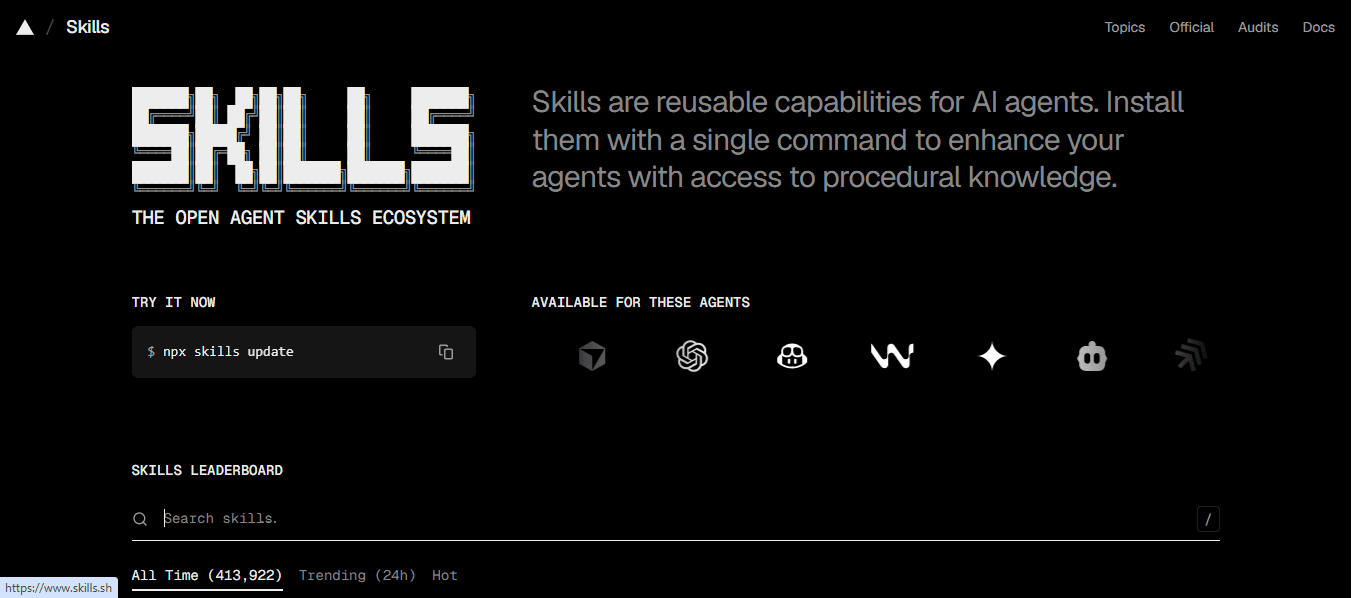
Installer un skill:
npx skills add <skill-name>Astuce : Installe les Skills que tu utilises souvent au niveau global (--global). Garde les Skills spécifiques à un projet au niveau local.
Créer un Skill, c'est simple. Tu n'as besoin que d'un fichier Markdown bien pensé.
Pose-toi cette question : "Pour quelle tâche est-ce que je donne toujours les mêmes instructions à Claude ?"
Quelques exemples :
C'est exactement là qu'un Skill fait gagner du temps.
# Crée le dossier du skill
mkdir -p .claude/skills/mon-skill

# Crée le fichier SKILL.md
touch .claude/skills/mon-skill/SKILL.mdUn bon SKILL.md contient :
---
name: nom-du-skill
description: Description courte de ce que fait ce Skill (utilisée par Claude pour décider de l'activer).
---

# Nom du Skill

[Rôle que Claude doit adopter]

## Contexte
[Ce que Claude doit savoir sur ton projet/stack]

## Instructions
[Ce que Claude doit faire, étape par étape]

## Format de sortie
[À quoi doit ressembler le résultat]

## Ce que tu évites
[Les erreurs ou patterns à ne pas reproduire]Lance /mon-skill dans Claude Code, Claude ou un IDE et vois si le résultat correspond à tes attentes. Ajuste les instructions jusqu'à ce que ça soit parfait. C'est normal d'affiner 2-3 fois avant d'avoir un Skill vraiment efficace.
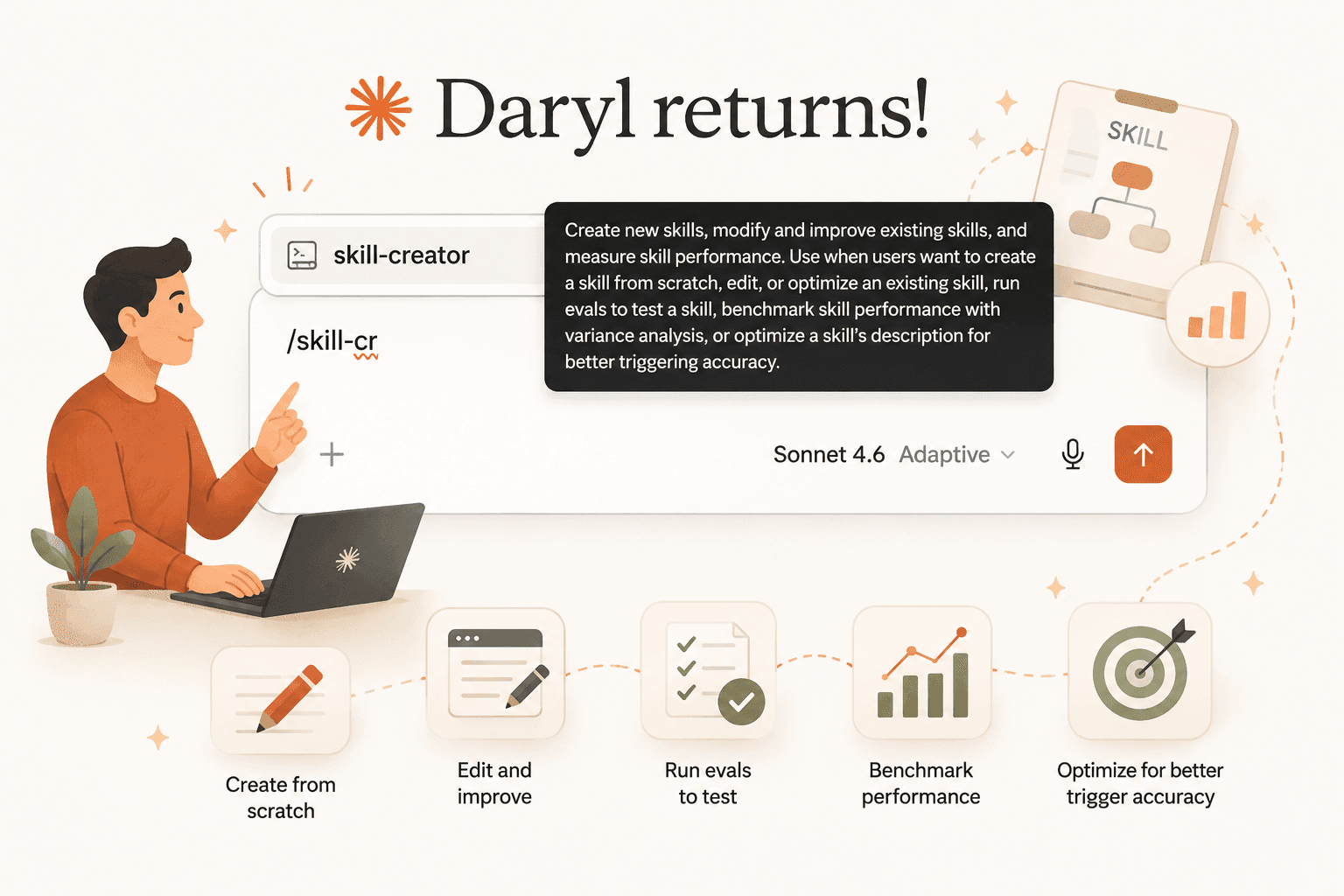
Le meilleur moyen de créer un SKILL rapidement et efficacement est de demander à l'IA de le faire à ta place.
Pour celà, tu peux utiliser le skill skill-creator pour le faire :
02 manières s'ouvrent à toi :
npx skills add https://github.com/anthropics/skills
--skill skill-creator
Puis utilise le skill /skill-creator dans ton IDE (Claude, Antigravity, etc.) pour créer ton propre Skill, tu auras juste à décrire ce que tu veux que le Skill fasse.
Au niveau de la zone de saisie, ecrit ceci :
Utilise le skill /skill-creator pour le créer, tu auras juste à décrire ce que tu veux que le Skill fasse.
Tu veux aller plus loin ? Voici 05 idées de Skills utiles que tu peux créer toi-même ou t'en procurer :
La règle : si tu te retrouves à copier-coller les mêmes instructions plus de 3 fois par semaine, c'est un bon candidat pour un Skill.
Voici les 10 Skills présentés dans cet article :
| Skill | Usage principal |
|---|---|
| /frontend-design | Interface belle et attrayante avec de belles animations |
| /product-brainstorming | Sessions de réflexion produit structurées |
| /code-review | Revues de code rigoureuses et actionnables |
| /find-docs | Recherche et synthèse de documentation |
| /refactor | Refactoring propre sans régression |
| /smart-commit | Messages de commit au format Conventional Commits |
| /deploy-check | Checklist pré-déploiement |
| /responsive-design | Adaptation mobile-first des interfaces |
| /nextjs-patterns + /tailwind-patterns | Patterns et conventions de ton stack |
| /test-writer | Tests pertinents et bien structurés |
Les Skills, c'est probablement la fonctionnalité de Claude Code la plus sous-utilisée par les devs. Tu passes du temps à réexpliquer ton stack, tes conventions, tes préférences à chaque nouvelle session. Les Skills te libèrent de ça.
Commence par 2-3 Skills sur les tâches que tu fais le plus souvent. Note la différence après une semaine. Ensuite, crée les tiens en partant de tes vraies frustrations.
Tu as maintenant toutes les cartes en main pour monter ton propre arsenal de Skills. À toi de jouer !
Si tu veux partager tes Skills ou découvrir ceux de la communauté, direction skills.sh.